RosterBuster Not Working? Why Airline Crew Are Switching to AirRoster in 2026
- Wingman Log

- Mar 29
- 8 min read
Updated: Apr 15
Last Updated: 14 April 2026 | 8 min read | Crew Roster Apps
If you found this post by searching "RosterBuster not working," you already know the problem. Upload failures. Broken calendar sync. Login loops after updates. A support queue that responds with ticket numbers instead of solutions.
RosterBuster was the default crew roster app for over a decade. Since CAE acquired it, the app has gone from reliable to unpredictable. Crew who depended on it for years are now spending more time troubleshooting the app than using it.
This post covers why is RosterBuster not working for pilots and cabin crew in 2026, what crew actually need from a roster app, and why AirRoster has become where those crew are landing.

Why Is RosterBuster Not Working in 2026?
RosterBuster earned its position. It was built by airline crew, it solved a real problem, and at its peak it worked for hundreds of thousands of users across 500+ airlines. That history is real.
What is also real is what has happened since the CAE acquisition. The app's changelog tells part of it — consecutive releases with vague "various fixes and overall improvements" language, each one patching issues introduced by the previous update. App Store and Google Play reviews tell the rest.
Roster uploads that fail half the time
The primary function of a roster app is getting your roster onto your phone. Multiple users report that the crew portal upload applet errors out roughly half the time regardless of file type. The fallback to PDF upload also fails intermittently. One verified App Store reviewer described a support chain spanning 27 emails over a single unresolved upload issue.
A roster app where the roster upload works half the time is not a roster app. It is a coin toss.
Calendar sync that stopped working
Multiple Android reviewers report that across recent update cycles, calendar integration stopped working entirely — including Google Calendar sync. This affects crew on paid premium subscriptions who are paying specifically for this feature. Paying for a feature that does not work is worse than not having the feature at all.
Post-update login failures
Users who relied on the app for years report being locked out after updates, with CAE's support directing them to submit tickets with no immediate resolution path. For crew who need their report time at 5:00 AM in a crew transport, "submit a ticket and wait" is not an answer.
Features gated behind a broken paywall
RosterBuster's free tier is deliberately limited. Meaningful features — unlimited friend roster viewing, detailed career statistics, full calendar sync — require a premium subscription. The crew paying for these features are the same crew reporting they no longer work reliably. That is not a free tier problem. That is a trust problem.
Support that cannot keep pace
The pattern on public app store reviews is consistent: a user reports a broken feature, the response directs them to submit an email ticket, and no resolution is visible. Multiple users describe unresolved issues persisting across multiple app versions. When the support infrastructure cannot keep pace with the bug rate, the product is in decline.
What Crew Actually Need From a Roster App
The requirements are not complicated. Crew have been clear about what matters for years.
Reliability above everything. A roster app that works 80% of the time is not a roster app. It is a liability. Your reporting time, your base, your layovers, your rest period — this information must be available when needed. At 5:00 AM. On layover. In airplane mode. Every time.
One tap to your schedule. Navigating three screens and two logins to see a duty time is three screens and two logins too many.
Every device. Crew switch between phones, tablets, and hotel computers. The roster needs to follow without re-authentication every session.
Family sharing that requires nothing from your family. Partners and families plan their lives around your schedule. They need a clean view of when you are home without downloading an app, creating an account, or remembering a password.
Offline access that actually works. Layovers, transit, and operations areas have poor connectivity. The roster must be cached and available without internet, immediately on open.
RosterBuster met these requirements for years. In 2026, it is failing at the first one — reliability — and that makes everything else irrelevant.
What Is AirRoster?
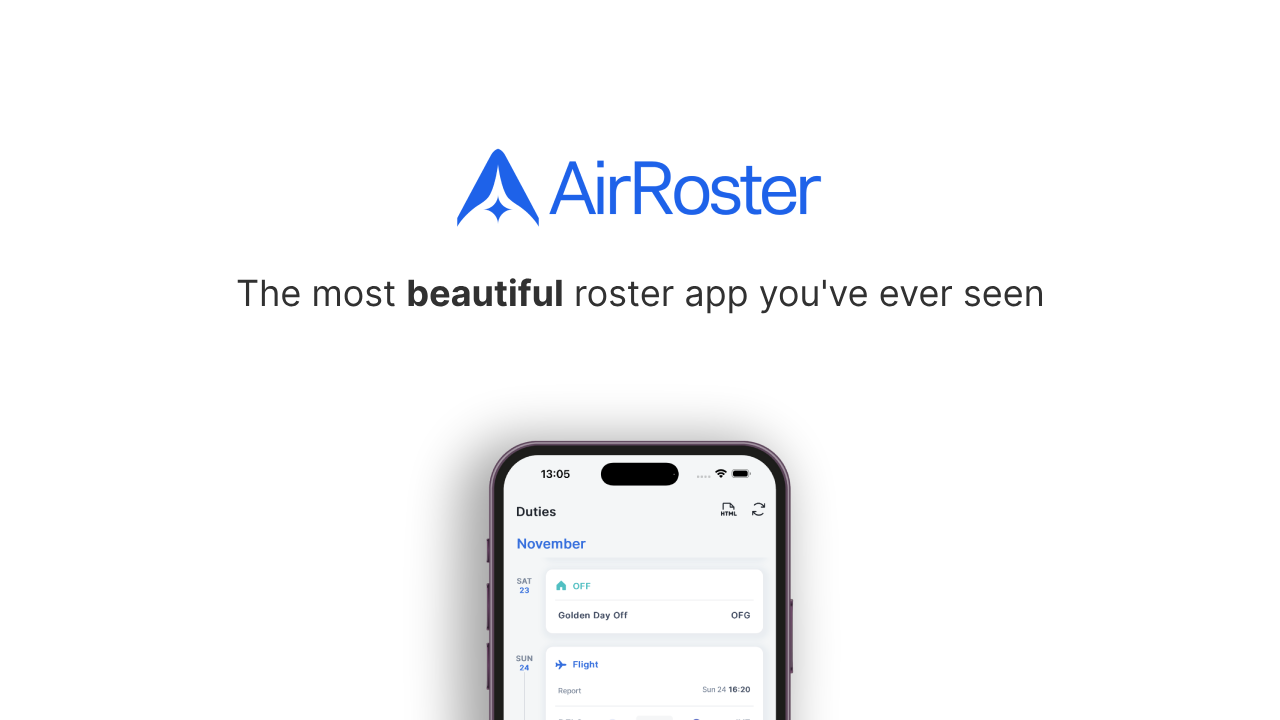
AirRoster is a crew roster app built by Wingman Avtech. It is available on iOS, Android, and web at app.airroster.com with no installation required. It supports 400+ airlines across the Middle East, Europe, India, the UK, USA, Africa, and Southeast Asia.
The design philosophy is simple: your roster, one tap away, every time. No upload applets. No login loops. No broken sync. Open the app, see your schedule.
AirRoster vs RosterBuster: Where It Matters
Roster Access
AirRoster connects directly to your airline's scheduling system. Once set up, your roster auto-loads when you open the app. No repeated logins, no session timeouts, no crew portal download-and-upload workflow. Your next reporting time, departure base, aircraft type, layovers, and duty time are visible in a single glance.
RosterBuster requires uploading your roster through a crew portal applet that, by multiple user accounts, fails intermittently. When the upload fails, your fallback is PDF upload, which also fails intermittently. When both fail, your fallback is the airline's own crew portal — at which point the roster app is adding steps rather than removing them.
Offline Access
AirRoster caches your last synced roster and makes it available the moment you open the app — on the bus to the airport, in airside transit, in briefing rooms with no signal. The latest roster loads alongside it when connectivity returns.
RosterBuster offers offline access to your last uploaded roster. The data is only as current as your last successful upload — and if your last upload failed, your offline data is stale.
Family Sharing
AirRoster allows crew to share their schedule with family members who do not need to download anything, create an account, or log in. The shared view is clean, showing your schedule without company-internal notes or crew names.
RosterBuster offers family sharing gated behind the premium subscription. The same premium subscription that crew are reporting does not deliver reliably on its other promises.
Platform Availability
AirRoster runs on iOS, Android, and any web browser — including on a hotel computer, a borrowed device, or your laptop. No separate download required for each platform.
RosterBuster is available on iOS and Android. No web access.
Career Statistics
AirRoster provides detailed statistics covering block hours, duty hours, rest periods, and FTL-relevant calculations across custom date ranges.
RosterBuster offers career statistics on the premium tier.

Support
AirRoster is built and maintained by a focused team with a direct support channel. Airline integrations are actively maintained and new airlines are added regularly.
RosterBuster's support model in 2026, based on public app store responses, consists of directing users to submit email tickets. Resolution timelines are not visible. Multiple users report issues persisting across multiple app versions with no fix.
Side-by-Side Summary
Feature | AirRoster | RosterBuster |
Roster sync | Automatic from airline system | Upload applet (intermittent failures reported) |
Airlines supported | 400+ with direct integrations | 500+ with upload-based access |
iOS | Full features | Full features |
Android | Full features | Full features (calendar sync issues reported) |
Web browser | Full features at app.airroster.com | Not available |
Offline access | Auto-cached, always current | Dependent on last successful upload |
Family sharing | No app, no account needed | Premium subscription required |
Calendar sync | Standard export | Reported broken on Android |
Career statistics | Included | Premium subscription |
Free tier | Full roster access, no ads | Limited, key features paywalled |
Support | Direct channel, active maintenance | Email ticket queue |
Is RosterBuster Still Worth Using?
If RosterBuster is currently working for your specific airline and device, there is no urgent reason to switch. Some crew report no issues. The app still has the widest raw airline format support in the market.
But "it works for some people" is not the same as "it is reliable." The upload failures, calendar sync breakdowns, and support backlog are not isolated reports from a handful of users. They are a pattern across app store reviews spanning months.
If you are reading this because your roster upload failed again, or your calendar sync broke after the last update, or you spent 27 emails trying to resolve a single issue — that pattern is the answer.
Who Should Switch to AirRoster
Your RosterBuster uploads are failing. AirRoster syncs automatically from your airline's scheduling system. No upload applet, no PDF fallback, no coin toss.
Your calendar sync broke. AirRoster's roster data is synced automatically. The export is only as reliable as the sync — which is automatic and consistent.
You are paying for premium features that do not work. AirRoster's free tier includes full roster access. No paywall on the core experience.
You need web access. AirRoster runs in any browser. RosterBuster does not.
You want family sharing without a subscription. AirRoster family sharing is free and requires nothing from the recipient.
You are tired of submitting tickets. AirRoster is maintained by a focused team that actively updates airline integrations rather than routing you through a ticket queue.
Making the Switch: How to Get Started with AirRoster
Getting onto AirRoster takes under five minutes.
Go to app.airroster.com on any device and add it to your homepage as a shortcut
Create a free account (no credit card required)
Select your airline from the supported list
AirRoster connects to your airline's scheduling system and loads your roster
Your schedule is visible immediately, including offline from that point forward
If your airline is not yet on the supported list, the AirRoster team accepts requests and adds new integrations regularly.
Frequently Asked Questions
Is AirRoster free? Yes. AirRoster has a free tier with full roster access and no ads. Try it at app.airroster.com without entering any payment details.
Does AirRoster support my airline? AirRoster currently supports 400+ airlines worldwide across the Middle East, Europe, India, the UK, USA, Africa, and Southeast Asia. Check the full list at wingmanlog.in/wingman-supported-airlines or enter your airline during setup.
Can my family view my schedule on AirRoster? Yes. You can share your roster with family members who do not need to download anything or create an account to view it.
Does AirRoster work offline? Yes. Your last synced roster is cached and accessible without an internet connection from the moment you open the app.
Is AirRoster only for pilots? No. AirRoster is built for all flight crew — captains, first officers, cabin supervisors, and cabin crew.
Can I use AirRoster on multiple devices? Yes. AirRoster works on iOS, Android, and web browsers. Your roster is accessible across all devices with the same account.
How is AirRoster different from RosterBuster? AirRoster syncs your roster automatically from your airline's scheduling system without the upload applet, PDF fallback, and login loops that crew have reported with RosterBuster in 2026. It also includes web access and free family sharing, both of which RosterBuster does not offer on the free tier.
What if I change airlines? AirRoster supports 400+ airlines across every major scheduling system. Switch carriers and your roster app still works.
Does AirRoster work on web? Yes. AirRoster runs in any browser at app.airroster.com with no installation required.
The Bottom Line
RosterBuster built the crew roster category. That is worth acknowledging. But building a category and maintaining a product are different things, and in 2026 the gap between what RosterBuster promises and what it delivers has become too wide for too many crew.
When your roster app generates more support tickets than roster views, when the upload works half the time, when the calendar sync you pay for stops syncing, and when the response to every problem is "submit a ticket" — the app is no longer solving the problem it was built to solve.
AirRoster was built around one commitment: your roster, one tap away, every time. It syncs automatically from 400+ airlines, works on every device including web, shares with family without requiring anything from them, and shows you your schedule the moment you open it.
If RosterBuster has let you down one too many times, this is where crew are going.
App feature information and user review citations reflect publicly available data as of early 2026. Always use your official company scheduling system as the authoritative source for your roster.


Comments